Someone on the
radio who knows
your car.
Boxen reads your telemetry the way a race engineer reads a pit wall screen, and tells you the one thing worth hearing. Damage, tyres, gaps, the pit window, the boost map for this circuit. Out loud, while you drive.
Free version, no time limit · no account · telemetry processed locally; uncached speech uses the internet
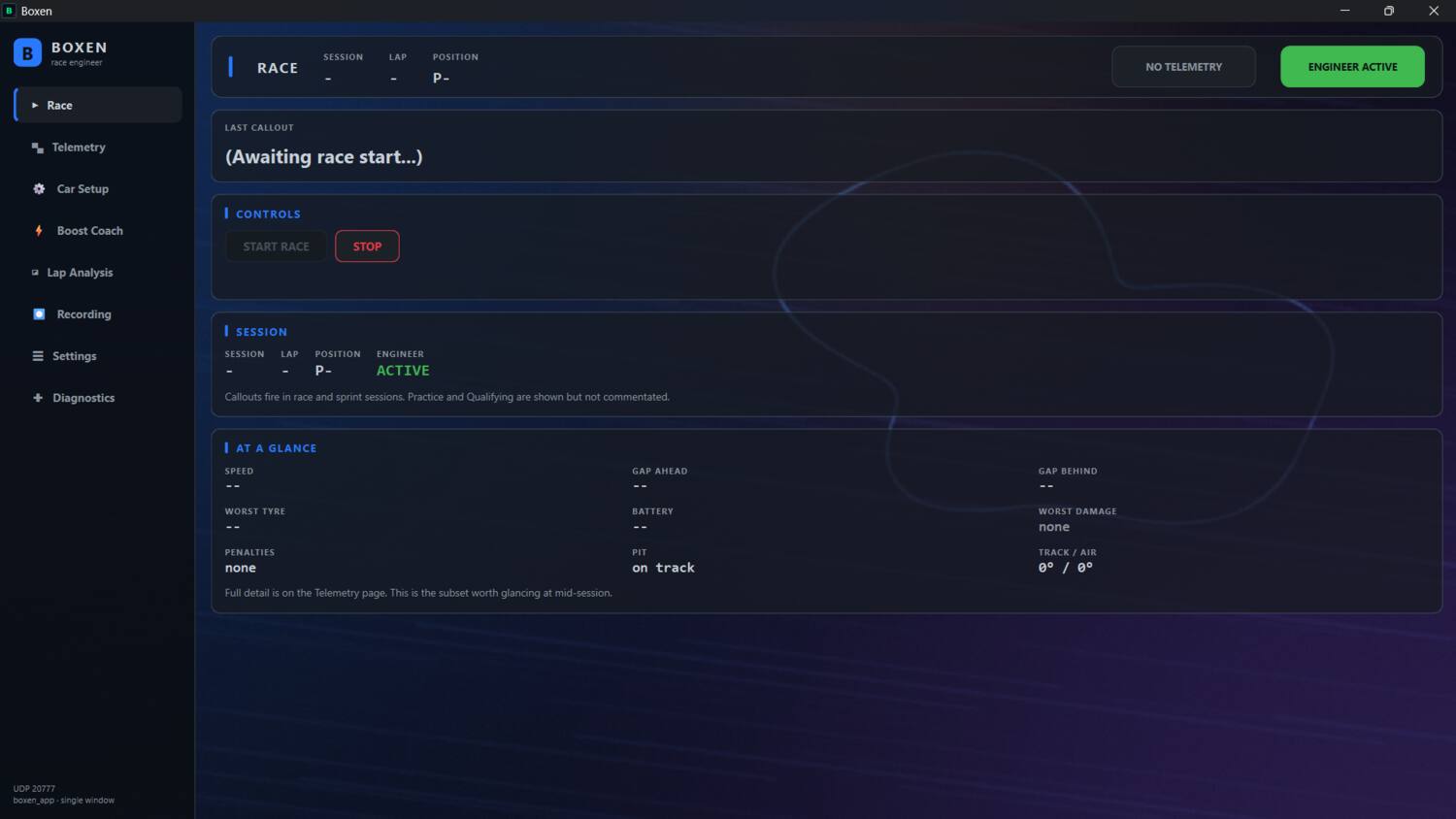
Team radio
A race, as Boxen would call it. Quiet at the start: only damage, flags and penalties on the first two laps. Press play to hear Romina, the voice that ships with the app.
The engineer
It talks less than you'd expect.
A real engineer does not narrate the race. Every callout in Boxen has a priority, and a priority is a promise about how often it is allowed to interrupt you. Damage can always speak. A gap update waits its turn, and if the window has closed it never speaks at all.
There is a quieter mode too. Set the chat level to critical only and everything but damage, flags, penalties, contact and the safety car goes silent — for a wet race where you want the car, not the commentary.
Boost Coach
Deployment, called before the corner.
Record one clean lap and Boxen turns it into a map: where the deploy mode changed, at what distance, at what speed. On every lap after that it calls the next change before you reach it, with the lead time scaled to how fast you are travelling — about 1.2 seconds of track, so the call lands while you can still act on it.
Maps for 25 circuits and three reverse layouts ship with the app, and it picks the right one for the track you are on, so a fresh install is coach-ready before you have recorded anything. It tells you when to come off the boost too, not just when to start.
Turn on the overlay and the coach sits on top of your game, with a live throttle and brake trace beside it. Both work as a window capture in OBS.
- Bundled maps
- 28 layouts: 25 circuits plus 3 reverse
- Overlays
- Coach and throttle/brake trace, on top of the game or in OBS
- 2026 modes
- None · Medium · High · Boost
- 2025 modes
- None · Medium · Hotlap · Overtake
- Lead time
- 1.2 s of track, per segment
- Your own laps
- Record, convert, and yours overrides the bundled map
It stays quiet in the pit lane and on an out lap. There is nothing to coach there, and a deployment call while you are warming up is worse than silence.
Lap Analysis
Where the lap went, not just what it cost.
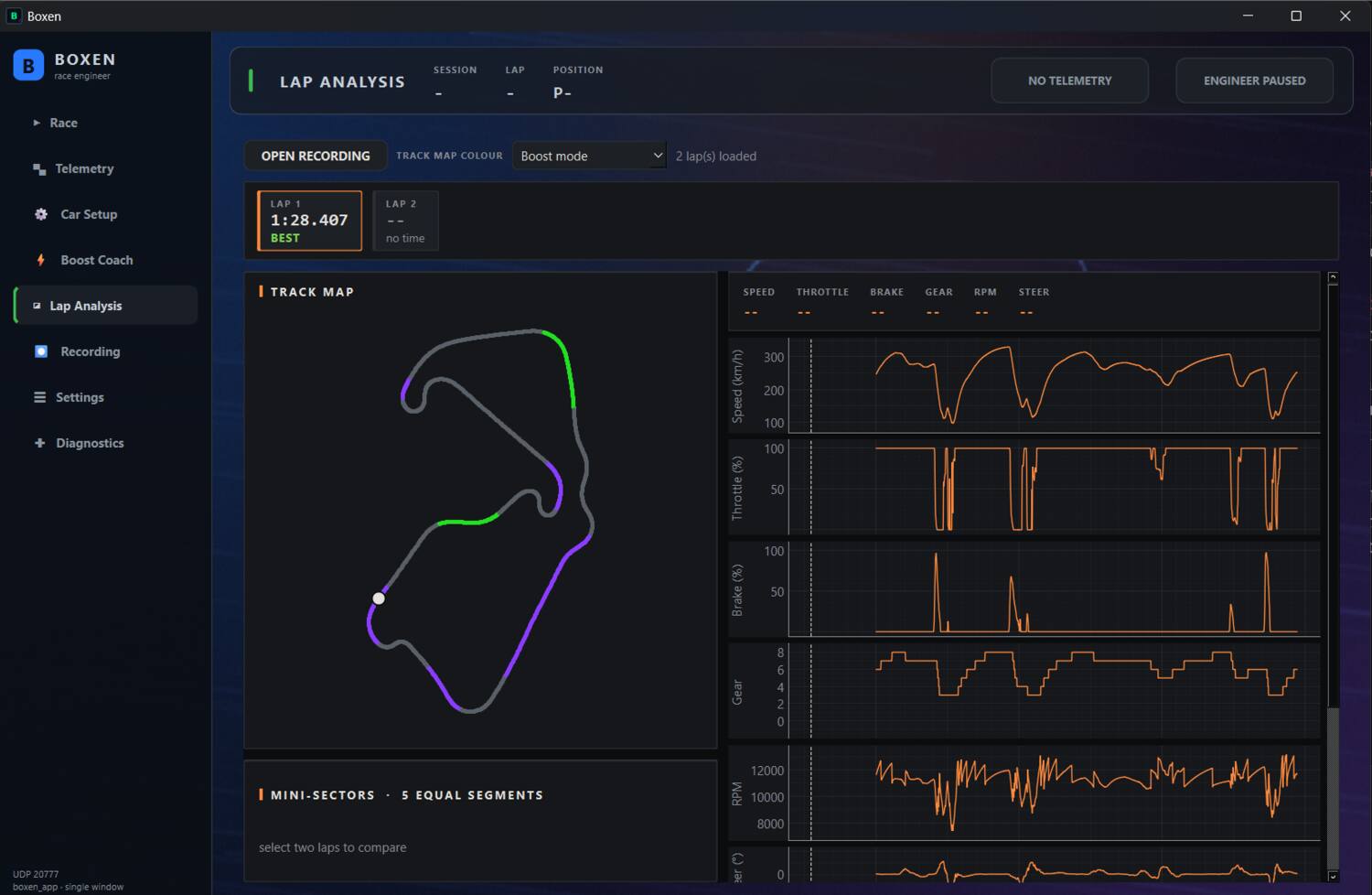
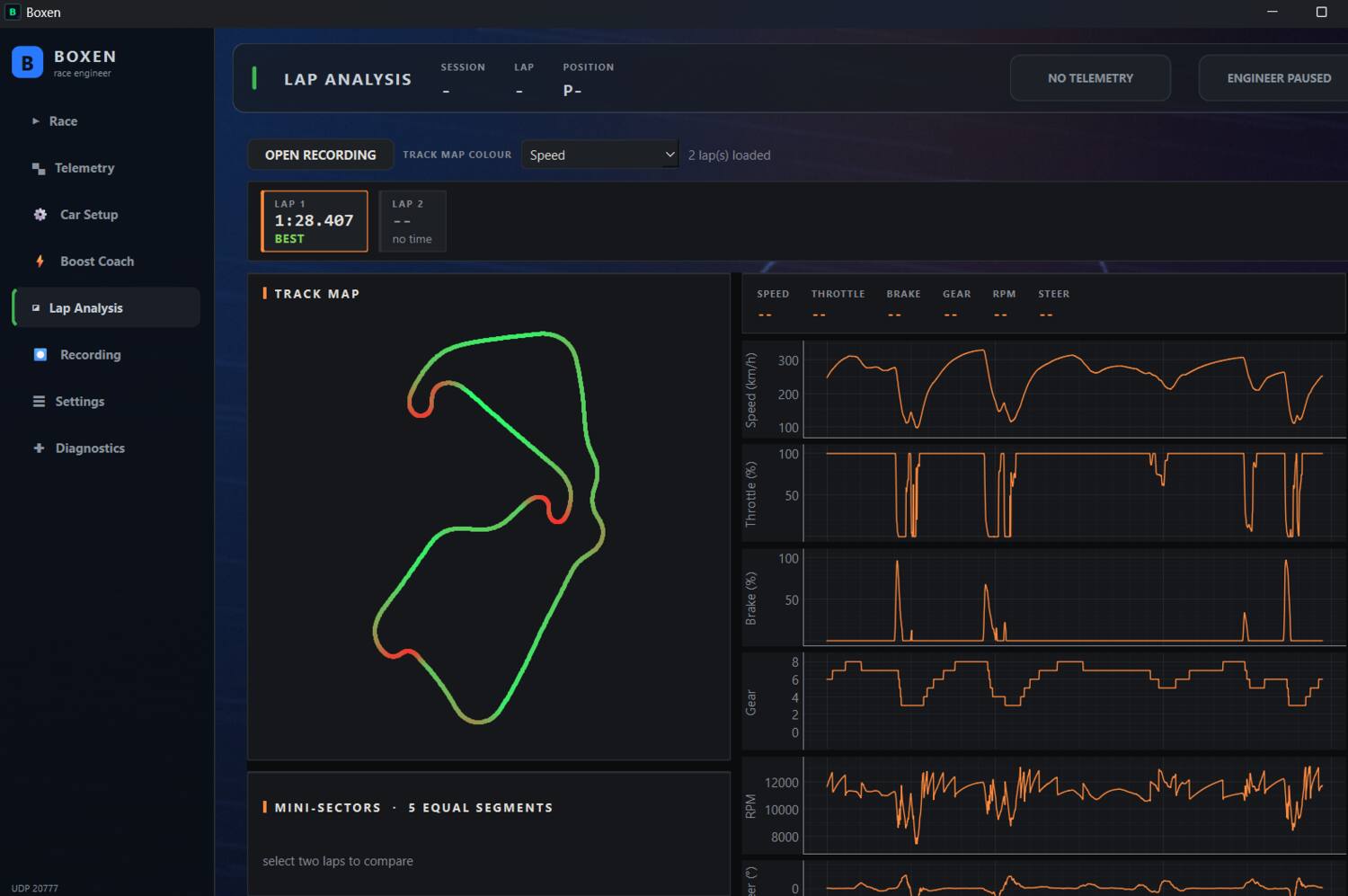
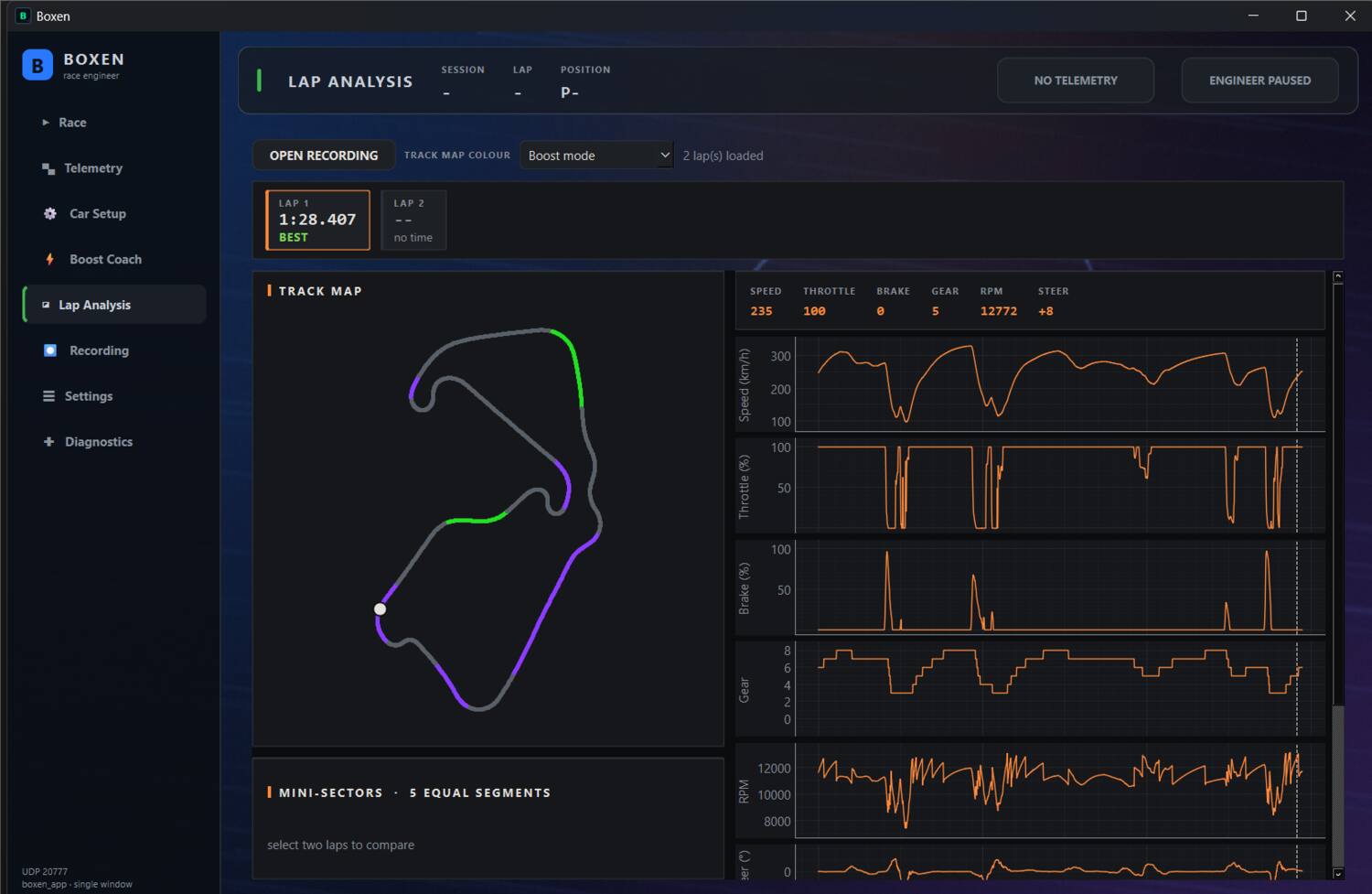
Open a recording and the whole lap is there: the racing line drawn from your own world position, coloured by whichever channel you are interrogating, with the traces lined up beneath it. Scrub the map and the traces follow.
The game's own three sectors are marked on every trace, with each sector's time and gap, and the delta trace shows where the time went against your best. Compare your laps with your personal best and rival ghosts from Time Trial.
- Channels
- Speed, throttle, brake, gear, steering, RPM, DRS, deploy mode, battery
- Map colouring
- By speed, throttle, brake, deploy mode or delta
- Sectors
- The game's S1, S2 and S3, timed and compared
- Source
- Your own recordings — nothing is uploaded to read them
Also in the box
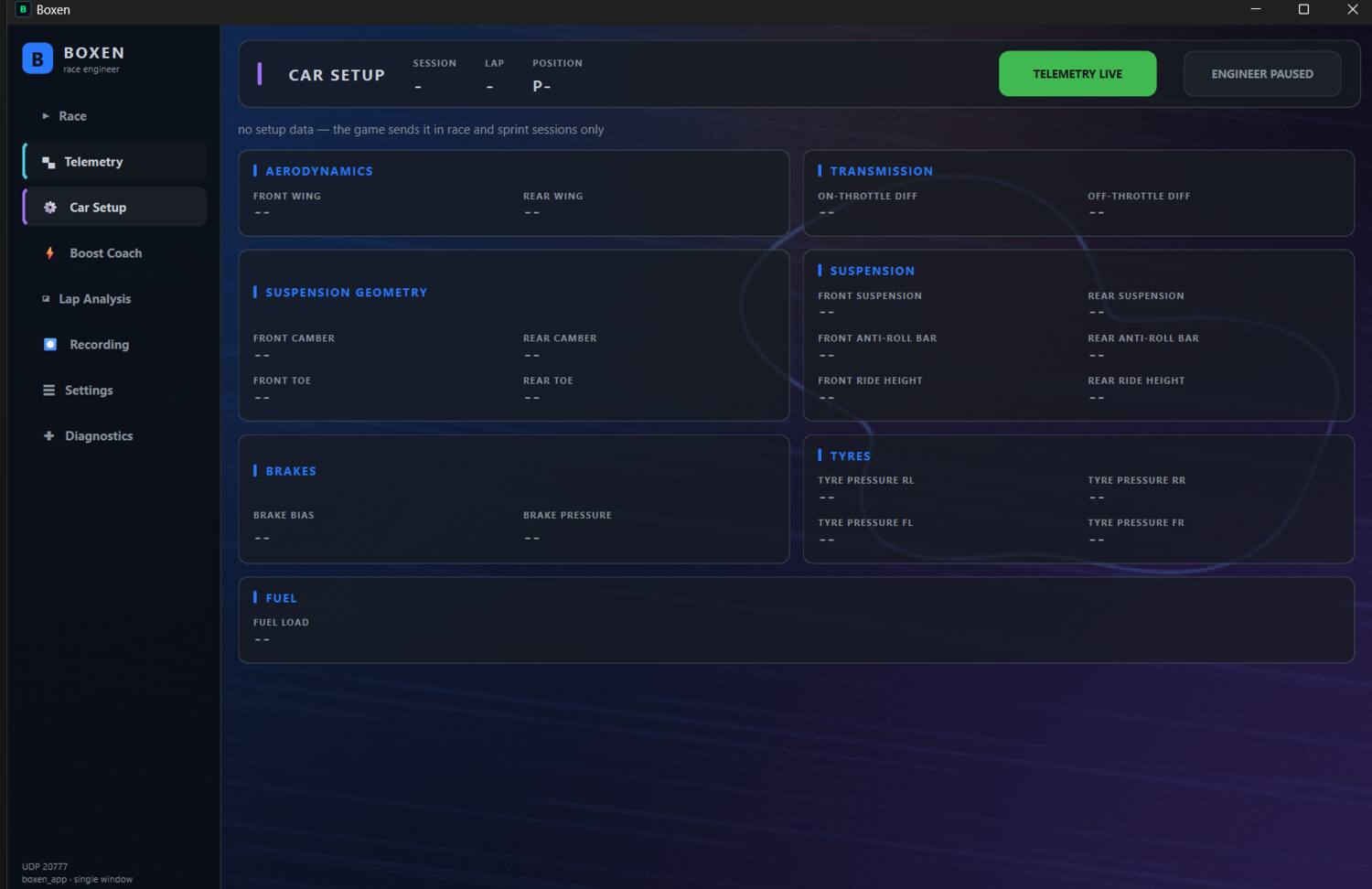
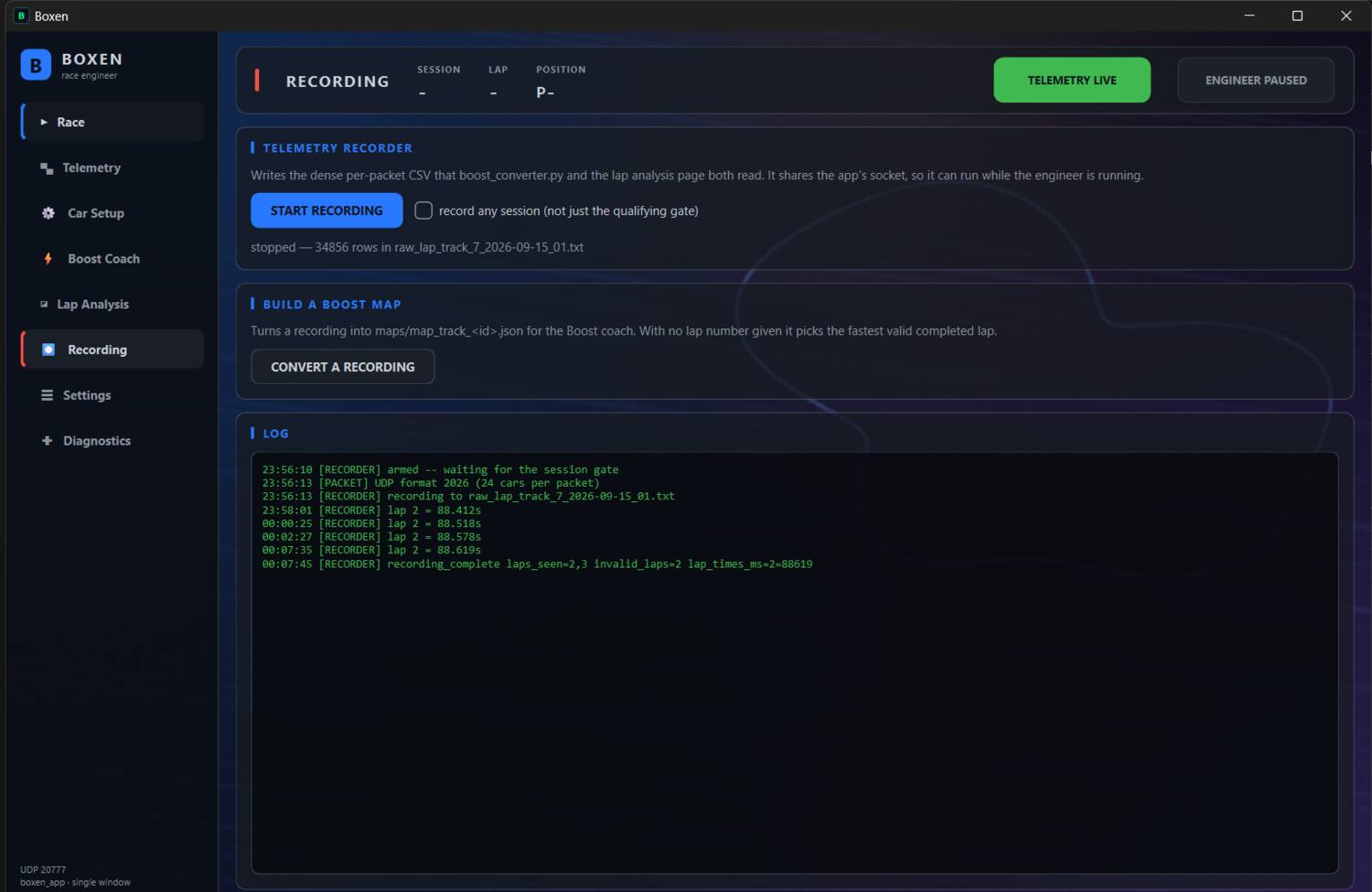
Eight pages, one window.
Boxen replaces the usual pile of overlays and second applications. One window, one UDP socket, everything reading the same stream of packets.
Seven voices
Romina ships with the app, pre-generated so callouts play instantly. The other six are free downloads you drop into a folder; the app tells you exactly which one.
Your thresholds
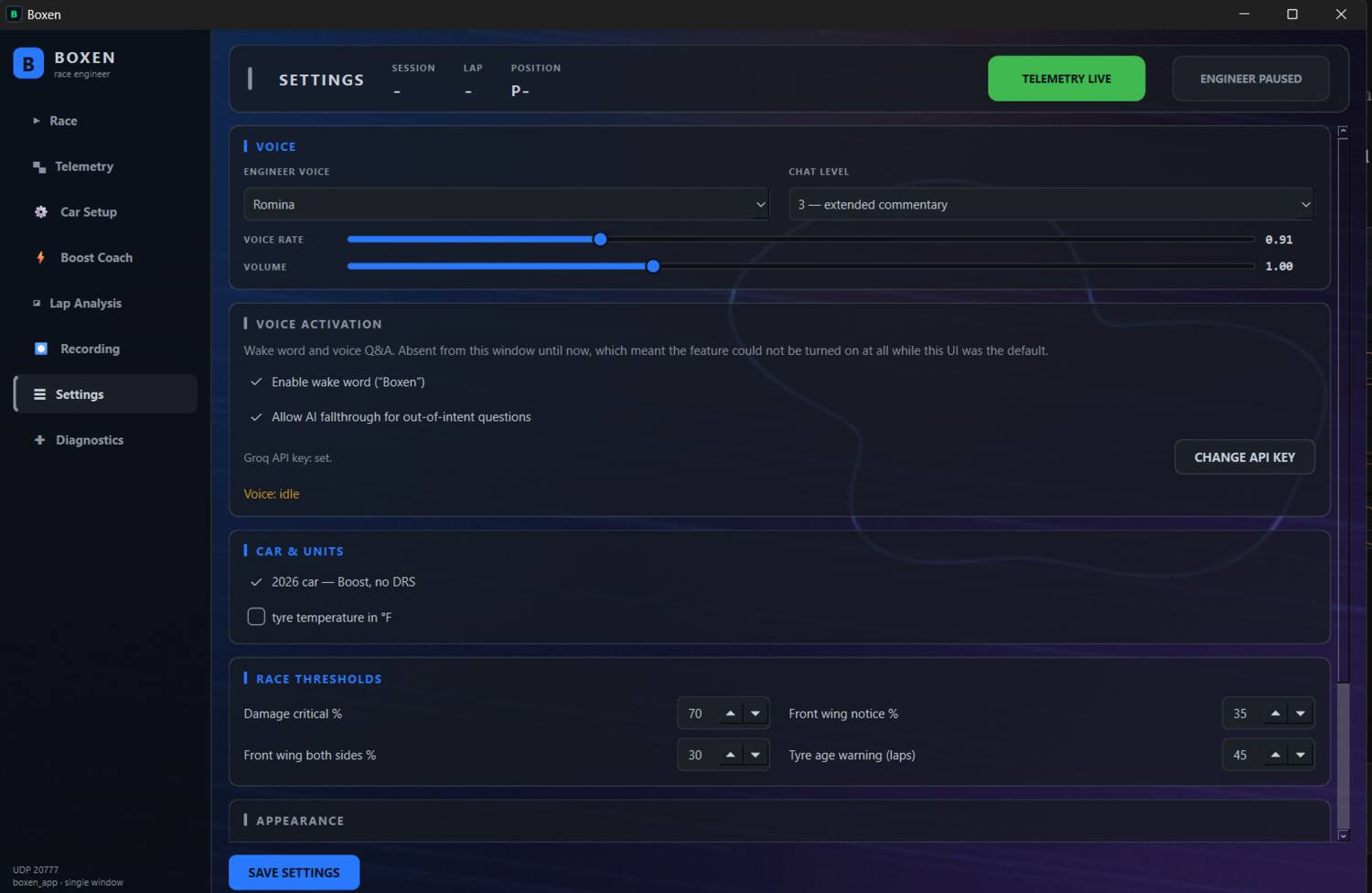
Damage percentages, tyre age, gap ranges and battery warnings are all yours to set. The defaults come from real races, not round numbers.
Talk to your engineer
Say “Boxen”, press a push-to-talk key, or map a wheel button in the game, and ask about your gap, tyres or fuel. It answers out loud from the live values, and checks your microphone when you start a race. Beta, off by default: turn it on in Settings.
Setup
Three steps, about a minute.
No launcher, no mod, nothing injected into the game. Boxen listens to the telemetry feed F1 already broadcasts — you just have to switch it on.
Turn on UDP telemetry in the game
Settings → Telemetry Settings. These are the values Boxen expects.
Unzip Boxen and run it
No installer. Keep the folder together — the voice cache and the bundled maps sit beside the exe, and the app writes its settings there too. Windows will warn about an unsigned app the first time; that is expected while code signing is still in progress.
Drive
The header turns green the moment packets arrive. Pick a voice, set your chat level, and go racing. If nothing arrives, the Diagnostics page says exactly what it is seeing on the wire.
Get Boxen
Free to start. Full when you want more.
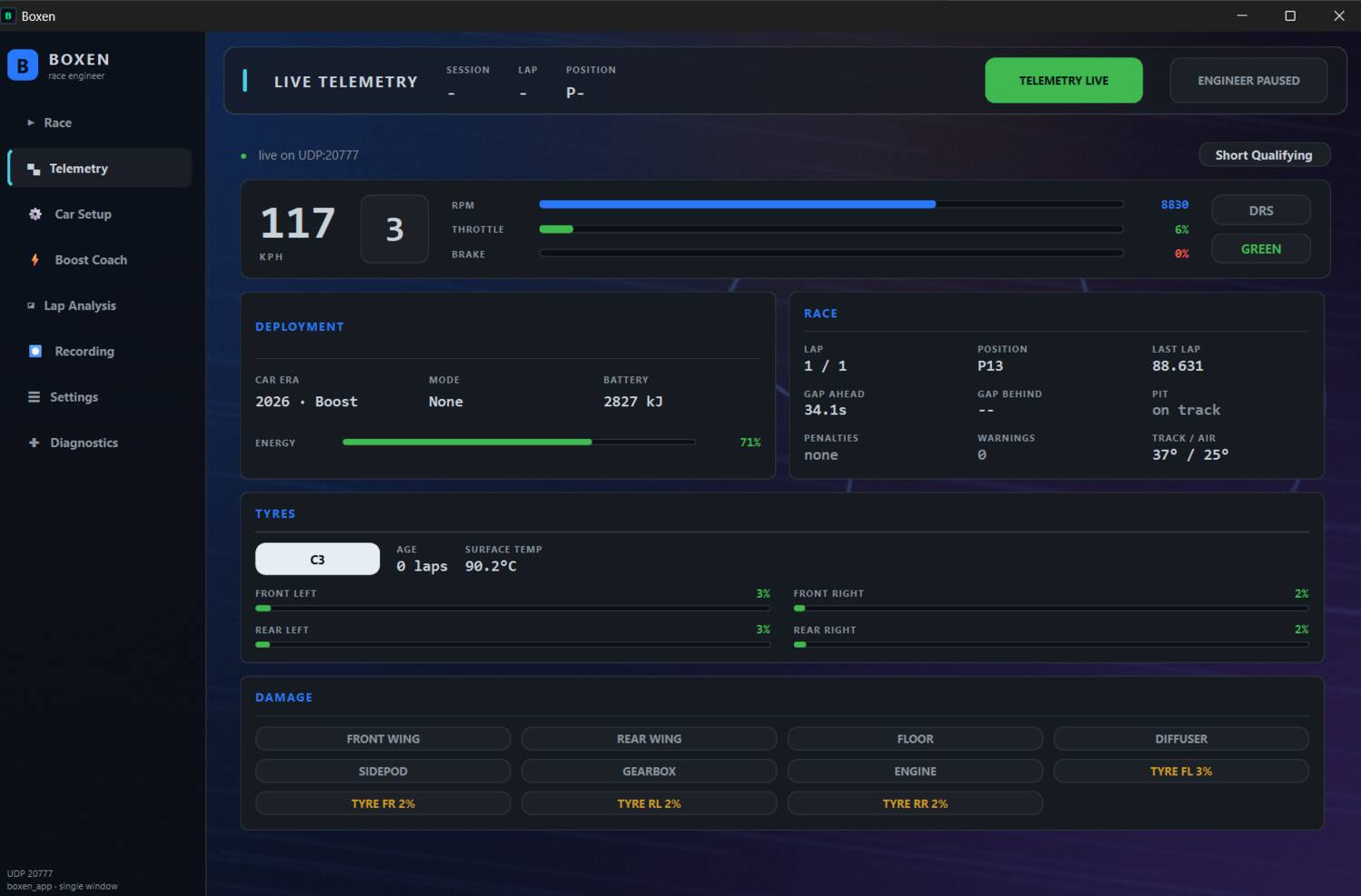
The race engineer, Lap Analysis, Live Telemetry, Car Setup, all seven voices and voice questions (beta) are free, with no time limit. Try the Boost Coach free for 7 days; the full version keeps it.
no time limit
The race engineer and the analysis tools. Keep it as long as you like.
- + The full race engineer, races and sprints
- + Lap Analysis and the recorder
- + Live Telemetry and Car Setup
- + All seven voices: Romina included, six free downloads
- + Voice questions (beta)
- + Try the Boost Coach free for 7 days, with the bundled maps
- − After the trial: no Boost Coach, overlays or boost maps
About 460 MB, Windows 10/11
early-bird price · one-off
Buy it once. It does not expire and it does not phone home.
- + Everything in Free
- + Boost Coach with all 28 bundled maps
- + Coach and telemetry overlays, OBS-ready
- + Build boost maps from your own laps
- + Updates for F1 25 and F1 26
- + Yours on this machine — no account, no check-in
- + Support on Discord
Not on sale yet. It will be announced on Discord first.
for everyone
Pick a different engineer. Romina ships with the app; the other six voices are free downloads.
- + Six more engineer voices
- + Pre-generated, so callouts play instantly
- + Unzip into the Boxen folder (it adds voice_cache), pick it in Settings
- + Setup help and boost maps on Discord
Choose a voice pack to download:
Join the DiscordRequirements
What it needs.
- Game
- F1 26 or F1 25, on the same PC
- Platform
- Windows 10 or 11
- Telemetry
- UDP output enabled, port 20777
- Audio
- Any output device — headset recommended
- Disk
- About 900 MB, mostly the voice cache
- Internet
- Needed to generate speech for lines without matching cached audio; cached lines work offline
About your data
Boxen processes the game's UDP telemetry locally and saves recordings and maps on your PC. It does not upload the raw telemetry feed, session logs or recordings in the background. There is no account and no licence server.
Speech: when a callout has no matching cached audio — for example, a changing lap time or a voice whose pack is not installed — Boxen sends the words to Microsoft's Edge-TTS service to generate speech. Those words may include values derived from live telemetry. This online generation is intentional and has no user setting to disable it. The request sends the speech text, not the raw UDP feed, logs or recordings. Cached audio works offline; if generation fails, Boxen may play a cached Romina version or skip the callout. Voice questions: speech is transcribed locally and most questions are answered on your PC. If you enable Local + AI in Settings and provide a Groq key, an unanswered question and a current-telemetry summary are sent to Groq.
Optional: a free Groq key for voice questions
Boxen answers most questions on its own, offline. A Groq key adds an AI fallback for the questions it does not recognise. The key is free, and Boxen works fully without it.
- Go to console.groq.com and sign in with GitHub, Google or email.
- Open API Keys and click Create API Key. Name it “Boxen”.
- Copy the key straight away. Groq shows it only once.
- In Boxen, open Settings, paste it into the Groq API key box and save.
Keep the key to yourself: never post it in Discord or in a screenshot. If it leaks, delete it in the Groq console and create a new one.
Consider the car, not the screen
Boxen is built to be listened to, not watched. Set it up before you drive, put it on a second monitor if you have one, and let the voice do the work. Nothing on any page needs looking at mid-corner.